
 OFFERS
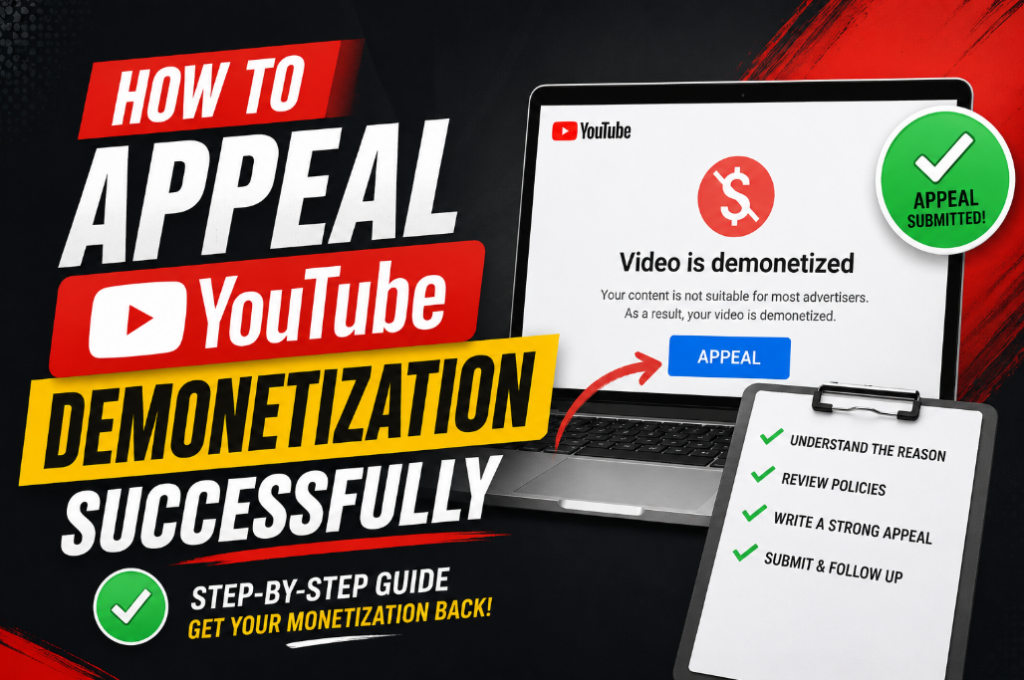
(When YouTube takes your money button away, here’s how to ask for it back)
First, What Happened?
Imagine making videos for a really long time. Maybe you show your toys. Drawing pictures could be your thing. Some days you play games and do funny voices. It all feels great.
Then one day YouTube gives you good news. A message arrives saying you can make money from your videos now. Happiness fills you up. Mom gets told right away. Your best friend hears about it too. Finally you feel like a real YouTuber.
But something bad happens after that.
A different message comes from YouTube. They say they are taking your money button away. No more money from your videos ever.
That really hurts. Sadness hits you hard. Anger shows up too. Punching a pillow might feel good right now. Lots of YouTubers feel this way, so that is okay.
Here comes the good news though. YouTube can be asked to look again. Hey YouTube, you made a mistake works fine. Please check my channel one more time is all you need to say.
Appeal is the name for that. Think of it like a school problem. Your teacher says you did not do your homework. But you know you turned it in. Asking her to check her desk again makes sense. She finds your homework there. Then she apologizes.
An appeal does exactly that. YouTube just gets asked to take a second look. Sometimes they say yes. Getting your money button back becomes real again.
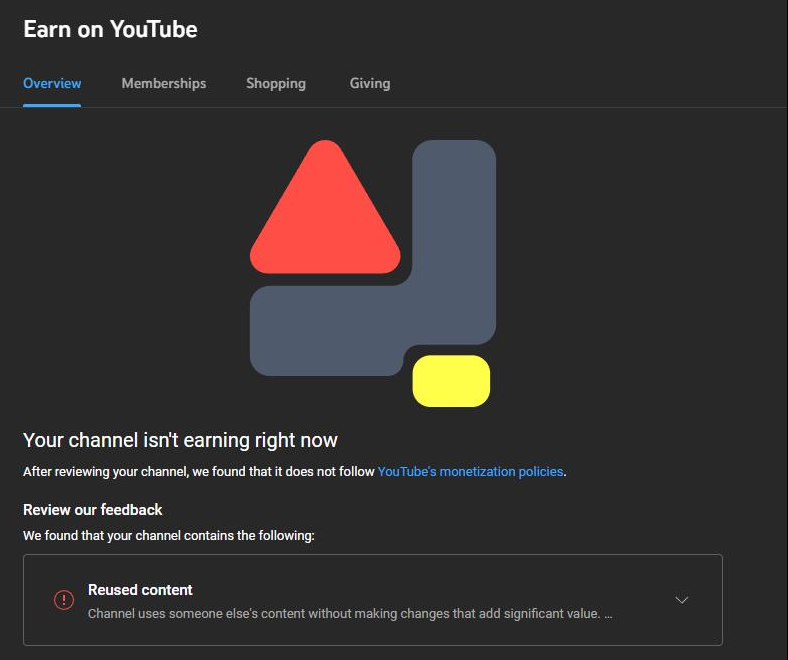
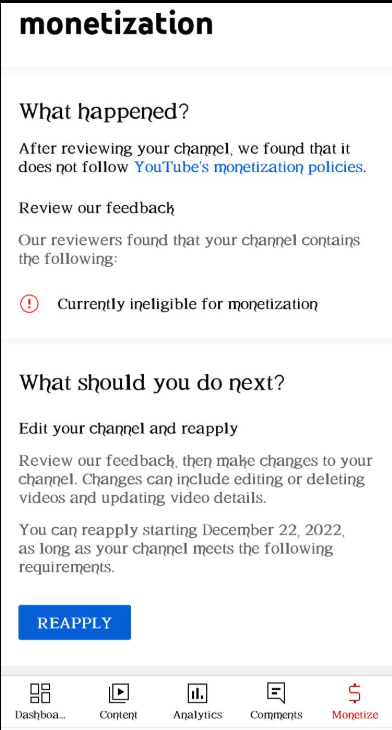
What Does “Demonetization” Mean?
Big word. Let me make it simple.
When you have your money button, YouTube puts little commercials (ads) on your videos. Every time someone watches a commercial on your video, you get a little bit of money. Like finding a penny. But lots of pennies add up!
When YouTube takes your money button away, that means no more commercials, no more pennies. You can still make videos. You just don’t get paid. That’s no fun at all.
Why Did YouTube Take My Money Button?
YouTube has rules. Lots of rules. If you break a rule, they take your button. Here are the most common reasons:
1. You used too much of other people’s stuff
Like if you took a whole cartoon and just put it on your channel. Or you grabbed your favorite singer’s music video and didn’t change anything. YouTube says, “That’s not yours!”
2. You copied something that isn’t yours
Maybe you found a cool video on TikTok or Instagram and just reposted it. That’s like taking your friend’s toy and saying it’s yours. Not cool.
3. You made trick videos
Like if you said “click here to see a unicorn” and then it was just a picture of a potato. That’s called spam. YouTube doesn’t like tricking people.
4. A computer made your videos
Some people let a computer do all the work for their videos. They use AI tools to avoid making things themselves. The computer writes the script for them. Then the computer speaks the words out loud. Even the pictures get made by the computer. YouTube looks at that and says no. You cannot earn money if a computer did everything.
5. You broke the community rules
Saying mean things to people is not allowed on YouTube. Showing something scary or gross can get you in trouble too. Hurting someone’s feelings with your video breaks the rules. YouTube made these rules to keep everyone safe. Breaking any of them puts your money button at risk.
6. You faked people watching your videos
Some people try to trick YouTube by using bots (fake computer people) to watch their videos. That’s cheating. YouTube always finds out.
7. You made the same video over and over
Like if you made 50 videos that are all exactly the same. YouTube gets bored and says “no more money.”
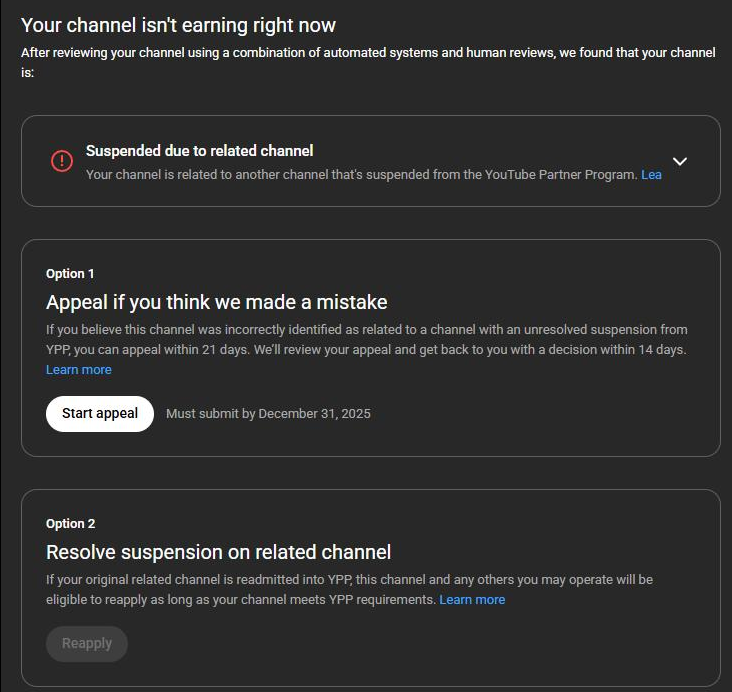
How YouTube Tells You Something Is Wrong
YouTube gives you signs. Like traffic lights.
- Yellow icon = You still get some money, but not much. Fix this fast!
- Red or gray icon = No money at all. Uh oh.
- No icon at all = You’re out of the money program completely.
YouTube will also send you an email. And they’ll put a message in YouTube Studio (that’s the special website where you see how many views you got).
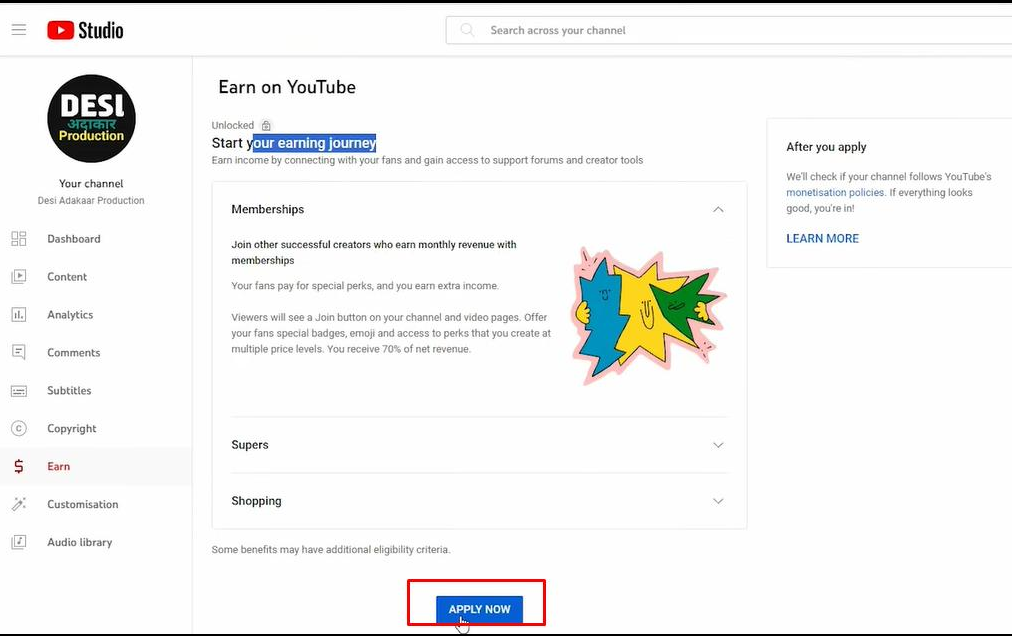
Before You Ask YouTube to Look Again (Very Important!)
Don’t rush. Don’t get mad yet. Do these things first.
1. Read the email from YouTube
Read the email slowly. Going through it twice is a good idea. What does the message actually say? Look for clues about your mistake. Maybe you used a video that belongs to someone else. Perhaps you said something unkind in your content. Finding out exactly what went wrong is your main job. Figure out the real problem before doing anything else.
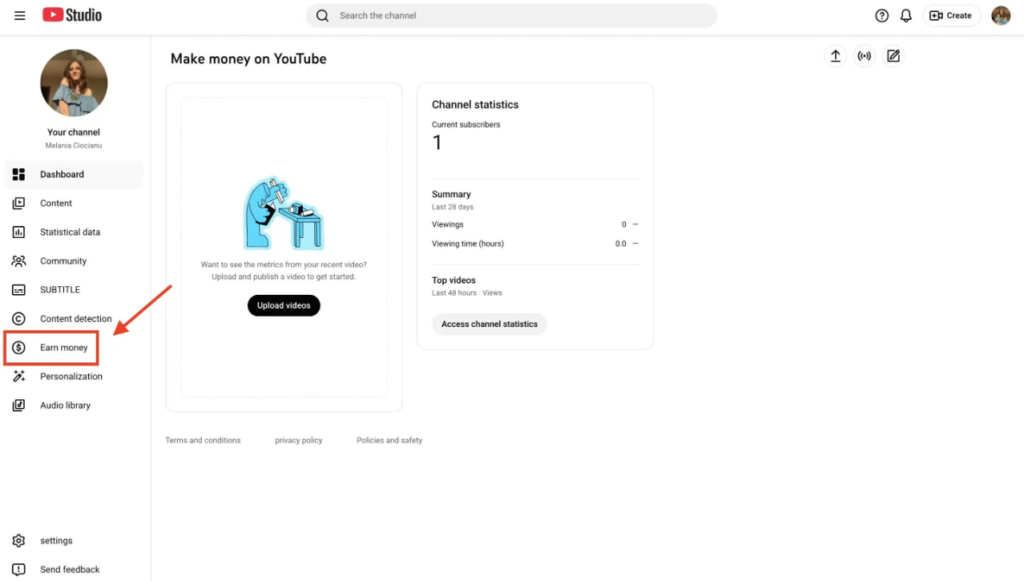
2. Go to YouTube Studio
Click on “Earn” on the left side. Look at what it says. It will tell you what’s broken.
3. Check if you can even appeal
Sometimes YouTube says, “Wait 30 days.” That means you can’t do anything for a whole month. That stinks, but you have to wait. Use that time to fix your videos.
4. Find the bad videos
Which videos got you in trouble? Maybe it’s just one video. Maybe it’s ten. Write them down on a piece of paper.
How To Appeal YouTube Demonetization (Step by Step)
Okay, now we’re at the good part. Follow these steps exactly like I say.
Step 1: Open YouTube Studio
Go to the website. Log into your account. On the left side, click “Earn.” Then look for a button that says “Appeal.” That means “please check again.”
If you don’t see the button, that means you have to wait. Maybe 30 days. Mark it on your calendar. When the day comes, come back here.
Step 2: Make a special video just for YouTube
This is the most important step. YouTube wants you to make a short video (like 1 to 5 minutes) that shows how you make your videos.
Make it “unlisted” so only YouTube can see it. Not the whole world.
What to show in your video:
- Your face! Let them see you’re a real person.
- How you write your script (if you use one)
- How you record your voice
- How you edit your video (show the program you use, like CapCut or Premiere Pro)
- How you find your pictures or music
- Show behind-the-scenes stuff
What to say in your video:
Talk like this:
“Hi YouTube team. My name is [your name]. I make videos about [whatever you make]. In this video, I want to show you how I make my videos from scratch.
First, I write down what I’m going to say. Here’s my notebook (or my computer screen).
Then I record my voice. See? Here’s my microphone.
Then I edit everything together. Watch me move these clips around. I cut out the boring parts and add funny sounds.
My own hands and brain make every video. Other people’s work never gets copied by me. AI does not create my content. Putting in real effort is what I do every time.
Thank you for watching and please give me back my money button.”
Step 3: Don’t do these bad things in your video
DON’T:
- Yell at YouTube. “YOU GUYS ARE MEAN!” ← Bad idea.
- Cry and say “please please please” over and over. They don’t care about sad feelings.
- Make a dark, fuzzy, quiet video where nobody can see or hear you.
- Read from a script like a robot. Be natural!
- Lie. If you copied someone’s video, don’t say you didn’t. They can tell.
DO:
- Speak clearly and calmly.
- Be honest about what you do.
- Show proof! Screenshots, editing timelines, your face.
- Smile a little. Be friendly.
Step 4: Explain why YOUR videos are original
This is the most important part of the whole thing.
YouTube wants to know: Did YOU make this? Or did you just steal it?
A good explanation sounds like this:
My scripts come from my own brain. Recording my voice uses my personal microphone. Editing happens by me in [name of program]. Commentary, jokes, and teaching all belong to me. Making one video costs me [number] hours of effort.
A bad explanation sounds like this:
“Please give me money back. I worked hard.” ← That’s too short. They need details!
Another bad explanation:
“I didn’t do anything wrong.” ← That doesn’t help. You have to PROVE it.
Step 5: Send your appeal
After you upload your appeal video, copy the video URL (that’s the web address).
Then go back to the appeal form in YouTube Studio. Paste the URL. Add your explanation in writing (same stuff you said in the video). Then hit SUBMIT.
Then you wait.
How Long Do You Have to Wait?
It depends.
| What kind of problem | How long to wait |
|---|---|
| Small mistake | A few days |
| Bigger problem | Up to 2 weeks |
| You have to reapply (wait 30 days first) | 1 to 30 days |
| Copyright stuff | A few days to a week |
Some people get their money button back in just 2 or 3 days. Some have to wait almost a month. Don’t check every hour. That will make you crazy. Just check once a day.
Here’s a Little Letter You Can Copy (Template)
If you don’t know what to write, use this. Fill in your own words.
Hello YouTube Review Team,
Thank you for looking at my channel again.
My money button should return to me. All my videos are made by my own hands. Other people’s work never gets copied. AI does not create anything on my channel. Every video comes straight from me.
In my appeal video, I showed you:
- How I write my scripts
- How I record my voice
- How I edit my videos
- My whole process from start to finish
I work really hard on my videos because I love making people laugh / learn / feel happy (pick one). I want to follow all of YouTube’s rules.
Please give me back my money button. Thank you for your time.
Sincerely,
[Your channel name]
Why Do Some People’s Appeals Get Rejected?
Sadly, not everyone gets their money button back. Here’s why some people fail:
1. They didn’t show their workflow
They just said “I work hard” but didn’t show any proof. YouTube needs to SEE it.
2. They used AI spam content
If a computer made your video, YouTube won’t give you money. Sorry.
3. They reuploaded TikToks or movie clips
You can’t just take other people’s stuff. Even if you change it a little bit.
4. They gave weak explanations
“Please give me money” is not an explanation. You need details.
5. They got angry
If you yell at YouTube or call them names, they will say no for sure.
6. They ignored the reused content rule
Some people think “but I added music!” isn’t enough. You have to add A LOT of your own stuff.
How to Make Your Channel Better So This Doesn’t Happen Again
Even if you get your money button back, you want to KEEP it, right? Here’s how.
Delete the bad videos
Go through your channel. Find any videos that might break the rules. Delete them or make them private. Don’t keep them around.
Make more videos with your face
People like seeing faces. YouTube likes faces too. It proves you’re a real person.
Add your voice
Talk in your videos. Explain things. Tell stories. Don’t just play music over pictures.
Show how you make things
A behind-the-scenes video does wonders for your appeal. Put your desk on camera for everyone to see. Your computer needs to be shown as well. Do not forget to include your microphone. This kind of proof works really well. YouTube reviewers love seeing how things actually get made.
Stop copying
Don’t take other people’s videos. Even if you add a little bit of your own stuff, it’s better to start from scratch.
Make custom thumbnails
Don’t just grab a picture from Google. Draw your own or take your own photo.
What If YouTube Says No?
Don’t give up. Really. Don’t.
If they say no, wait 30 days. Use that time to make your channel better. Make new videos. Delete old bad ones. Then try again.
Lots of YouTubers got their money button back on their second or third try. Marques Brownlee (huge YouTuber) never had this problem because he always makes his own stuff. But smaller channels sometimes have to try more than once.
The most important thing is: KEEP MAKING VIDEOS. Even without the money button. Keep going. Your fans still want to watch you.
Final Thoughts (The Short Version)
YouTube demonetization feels terrible. It really does. You worked so hard and then poof, the money button is gone.
But you can fight for it.
- Read the rules so you know what you did wrong
- Make a good appeal video with your face and your editing
- Show proof that YOU made your videos
- Be nice, not angry
- Wait patiently
- If they say no, try again
Most channels that truly add value and follow the rules get their money button back. It might take time. It might take two tries. But don’t stop.
You’ve got this. Now go make that appeal video!
The End! Good luck, little YouTuber! 🚀

