
 OFFERS
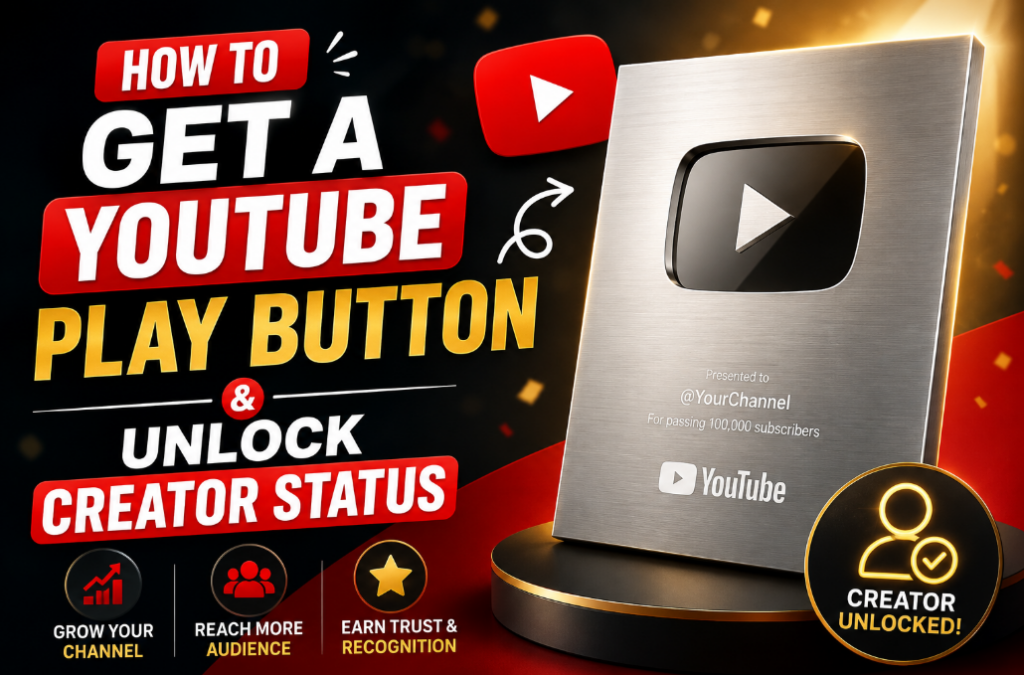
YouTube Play Buttons are really cool prizes from YouTube. They show that lots of people love watching your videos and want to follow your channel. There are different Play Buttons like Silver, Gold, Diamond, and Red Diamond. You get them when you reach big subscriber goals.
Getting a Play Button is not easy. You have to make fun videos, upload often and keep trying your best. This will help you learn how to grow your channel and win your own Play Button one day.
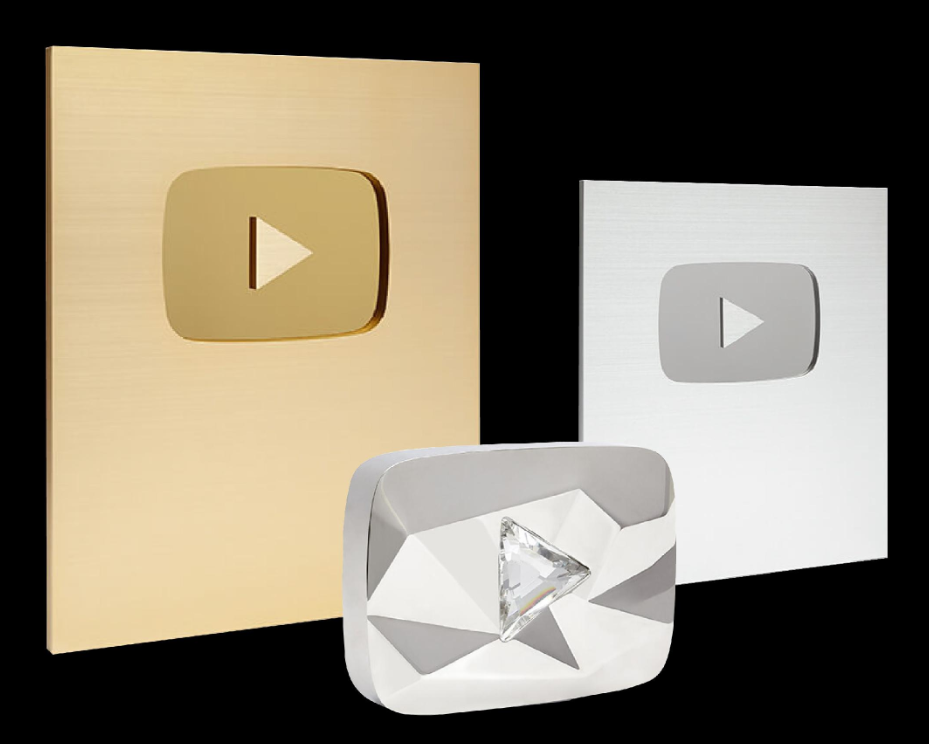
Understanding the YouTube Creator Awards Tiers
YouTube gives out these awards to creators who hit key subscriber numbers and keep their channels clean. The process starts with a review to check if you follow all the rules. Once approved you get a plaque that proves your growth came from solid work.
Silver Creator Award Requirements
The Silver Play Button goes to channels with 100,000 subscribers. This marks the first big step, and it often feels like the toughest one to cross. You must upload videos in the last six months and avoid any Community Guidelines strikes for the past year.
Your content needs to stay original, without heavy reliance on others’ clips or spam tactics. Copyright issues can block you too, so clear all third-party material first. Meet these, and YouTube reviews your channel before sending the code to claim it.
Gold Creator Award Requirements
Aim for 1,000,000 subscribers to earn the Gold Play Button. This tier demands the same clean record—no active strikes, no copyright problems, and full terms of service compliance. YouTube checks your whole channel, not just the recent stuff.
Channels with fake boosts or repeated violations get passed over. Focus on real engagement to hit this number. The gold plated plaque arrives after you redeem the code in YouTube Studio.
Diamond Creator Award Requirements
The Diamond Play Button requires 10,000,000 subscribers. At this scale, your videos pull in massive views and shares. YouTube looks closer at engagement and originality to ensure the growth feels genuine.
Expect a thorough review on content quality and audience interaction. No deceptive practices or scams allowed. Only about 1,000 channels worldwide hold this award, which features a crystal centerpiece.
Red Diamond Creator Award Requirements
Reach 100,000,000 subscribers for the Red Diamond Play Button. This top level goes to global stars with huge followings. Just 14 channels have it, like those with billions of views across years.
YouTube checks your channel really hard to make sure you follow the rules and keep making videos. The shiny metal Play Button with the red crystal is super awesome and very hard to get. It means tons of people from all over the world love watching your videos.
Pillar One: Content Strategy for Explosive Growth
Build your channel around a clear plan that draws in subscribers fast. Start with what you know best and expand from there. This pillar sets the base for steady gains toward your Play Button goal.
Niche Selection and Audience Identification
Pick one thing you are good at, like tech videos or cooking food. Watch big YouTube channels and see what they do not make. Maybe people want fast help for small problems.
Make videos for people like you. If busy moms like easy life hacks, make videos for them. Ask questions in comments so you know what people want.
Do not make videos about too many things. Pick one small topic so people remember you. Like gamer workouts instead of all fitness videos.
Look at which videos people save and like most. Then make more videos like that.
Mastering YouTube SEO: Titles, Tags, and Descriptions
Use words people search on YouTube like easy home workout. You can use Google Trends to see what people like to watch now.
Make short titles that are fun and helpful. Good titles make more people click your video fast.
Add tags to your video. Use big tags and small tags too. Write a good description and put time parts in it so people can find things easy.
Try different titles and see which one gets more clicks. Put links to your other videos in the description.
If you keep doing this more people will find your channel and follow you.
The Power of Consistency and Publishing Cadence
Pick two days every week to put up a new video, like Tuesday and Friday at 10 in the morning. Even big YouTubers like Marques Brownlee do just one video a week, and lots of people watch. It’s better to make one really good video than three messy ones.
Make a bunch of videos at the same time so you don’t run out. Tell people in your videos when you’ll be back, so they remember to watch. When you post on time, the game (the algorithm) sees you’re working hard and shows your video to more people.
Watch your numbers to see what’s working, but don’t ever skip a week. People who post all the time keep 20–30% more people watching. It takes time, but if you do this, your friends who watch will want to stay and be your fans.
Pillar Two: Optimizing for Viewer Retention and Watch Time
Keep people watching longer to signal YouTube your content works. High watch time pushes videos into more feeds. Focus here to climb toward those subscriber milestones.
Hooking Viewers in the First 30 Seconds
Start your video fast. Don’t say a lot of boring stuff. Show something cool right away, or ask a question they typed into the search bar.
Make your thumbnail picture pop—use bright colors and a face. That makes more people click.
Try two different starts: one with a little story, one with numbers. See which one works better. At the end of your intro, tell them what they’ll get if they keep watching. This stops them from clicking away.
Use happy music or fun pictures to pull them in. Channels that do this really well get people to watch way longer—like half more time! Keep practicing until your intro feels quick and punchy.
Structuring Videos for Maximum Session Time
Pace your edits with cuts every 5-10 seconds to hold focus. Add chapters for easy skips to key parts. End screens link to your playlist, keeping viewers on your channel longer.
Suggested videos appear based on watch patterns, so series help here. Aim for 10-15 minute lengths in most niches. Tight structure means more session time overall.
Break long videos into parts if needed, but tease the next one. This boosts total watch hours, a big factor in growth. Review retention graphs weekly to fix slow spots.
Leveraging Community Tab and Shorts Integration
Post polls or updates on the Community Tab to spark talks. It brings fans back to your long videos. YouTube Shorts act as hooks—use them to preview full content and drive subs.
Create Shorts from clips of your main videos. They reach new people fast and funnel them to your channel. Promote YouTube Shorts with cross-posts on other platforms for extra reach.
Mix in live streams via the tab for real-time chats. This builds bonds that turn into subscribers. Shorts now count toward eligibility, so use them to hit numbers quicker.
Pillar Three: Navigating Monetization and Community Standards
Stay in good standing to qualify for awards. Violations can delay or block your Play Button. Balance growth with rules for long-term success.
Understanding and Avoiding Policy Violations
Skip reused clips without fair use proof—get permissions or make originals. No hate speech or dangerous stunts either. Check YouTube’s guidelines page often for updates.
Use royalty-free music and credit sources. AI tools help generate ideas, but add your voice to keep it authentic. One strike lasts 90 days and hurts eligibility.
Track your status in Studio. Fix issues fast to avoid the 365-day clean window reset. Clean channels grow smoother without setbacks.
Building Authentic Community Engagement
Reply to top comments within a day to show you care. Host Q&As based on fan questions. This turns viewers into a tight group that shares your videos.
Run giveaways or challenges tied to comments. Live streams let you chat face-to-face. Creators who engage see 15% more subs from word-of-mouth.
Create response videos to popular comments. It makes fans feel heard and boosts loyalty. Steady interaction keeps your community active.
Utilizing Analytics to Fuel Growth Decisions
Watch average view duration in Studio—it shows if people stick around. High CTR on thumbnails means your previews work. Retention graphs highlight where viewers leave, so edit those parts.
Focus on traffic sources too—who finds you via search or suggested? Adjust tags based on this. Set goals like 50% retention per video.
Export data monthly to spot trends. If mobile views dominate, optimize for phones. This data guides tweaks that add subscribers weekly.
Finalizing Your Award Claim Process
Once you hit the milestone, double-check your status. YouTube notifies you in Studio if eligible. Follow the steps to get your plaque shipped.
Meeting All Eligibility Criteria Checks
Confirm 100,000 or more subs, plus recent uploads. No strikes in 365 days and clean copyrights. Original content without spam seals the deal.
Channels in restricted countries like Russia or Iran can’t claim. Switch accounts carefully to avoid flags. Use the eligibility tool in Studio for a quick scan.
Stay monetized if at Gold level, though YPP isn’t required. This final review ensures you’re set.
The Official Claim Procedure Through YouTube Studio
Open YouTube Studio and check the Creator Awards section for the notification. Copy the redemption code sent by email. Head to the redemption site and enter it.
Fill in your shipping address and channel name for engraving. In some countries like India, add tax ID. Hit order, and expect delivery in 2-3 weeks.
Track via the provided link. Pay any customs fees yourself. Report damage within seven days with photos for a free fix.
Conclusion: Beyond the Plaque—Sustaining Success
The Play Button comes from delivering value, posting regularly, and following rules. It signals your channel’s strength but points to bigger goals like deeper fan ties. Keep analytics close and adapt to what works.
Push past the award by trying new formats or collabs. Your community grows when you listen and evolve. Start today—pick one tip and apply it this week. That first sub milestone waits for your effort.

