

 OFFERS
You hit play on your favorite playlist, ready to dive into the beat. Then, silence. Spotify pauses out of nowhere, breaking your flow. This happens to many users, and it can ruin your day.
Think about jamming during a run or focusing at work. A sudden stop pulls you right out. We all want smooth tunes, but glitches get in the way. This article breaks down why your Spotify keeps pausing and shows you how to fix it. You’ll learn simple steps to spot the issue and get back to listening without breaks.
Connectivity and Network Issues: The Signal Struggle
Your internet connection powers Spotify’s streams. When it’s weak or spotty, playback stutters or stops. This tops the list of reasons for random pauses, as streaming needs steady data flow.
Poor Wi-Fi or cell service often causes these hiccups. Devices switch signals, and tunes cut off mid-song. Testing your setup can reveal if this is your problem.
Wi-Fi Versus Cellular Data Stability
Wi-Fi shines in homes with strong routers. It handles high-quality audio without much trouble. But if you’re far from the router, signal drops lead to pauses.
Cell data works on the go, yet it varies by location. In crowded spots like cities, towers overload and slow down. Check your phone’s bars; low ones mean weak links.
To test, play a track on both connections. Note when pauses happen more on one. Apps like Speedtest show your actual speeds. Aim for at least 5 Mbps for clear streaming.
Switch to a wired Ethernet on desktops for rock-solid play. Or move closer to your router on mobile. These tweaks often end the pausing right away.
Investigating Network Congestion and Bandwidth Throttling
Too many gadgets on your home network clog things up. Smart TVs, phones, and laptops all pull data. Spotify suffers when bandwidth splits thin.
Evenings see peak use, worsening the jam. Your router struggles, and streams buffer or pause. Restart the router to clear temporary blocks.
ISPs sometimes throttle speeds during heavy use. This hits streaming apps hard. Though rare for music alone, it adds up with downloads or videos.
Run a speed check during playtime. If it dips below normal, unplug extra devices. Or use your phone’s hotspot to bypass home issues. This isolates if congestion is the culprit.
The Importance of Offline Mode Settings
Offline mode saves songs for no-internet listening. But if it flips on by mistake, online streams halt. Spotify thinks you’re offline and pauses fresh tracks.
You might tap it during travel prep, then forget. Playback stops for new songs until you switch back. Check your app settings to confirm.
On mobile, go to Your Library, then Settings. Look for Offline Mode and toggle it off. Desktop users find it under Edit > Preferences.
Test by playing an online playlist. If it runs smoothly now, that was it. Keep this off unless you plan to download tunes.
Application and Software Glitches: Spotify’s Internal Troubles
Spotify’s app handles the heavy lifting for playback. Bugs inside it or clashes with your system cause unexpected stops. These fixes stay within the software world.
Updates and clean files keep things running right. When they falter, pauses creep in. Let’s dig into common app woes.
Outdated Spotify App Version Conflicts
Old app versions miss server tweaks from Spotify. New features roll out, but your setup lags behind. This mismatch sparks instability and pauses.
Premium users see this most during big updates. Free tiers lag too. Always grab the latest to match.
On Android or iOS, open your app store. Search Spotify and hit update if available. Desktops use the built-in updater or download from the site.
After updating, restart the app. Play a long session to check. Most users report fewer pauses post-update.
Corrupted Cache Files Causing Playback Errors
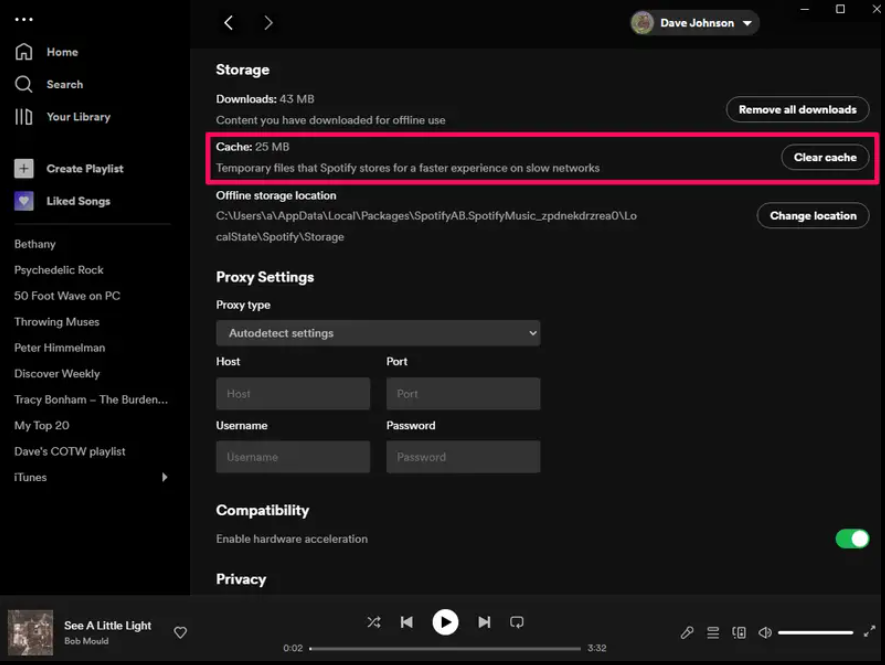
Cache stores temp files for quick loads. When they are corrupt, Spotify stumbles on playback. Songs skip or pause as it grabs bad data.
This builds over time with heavy use. Clear it to refresh everything.
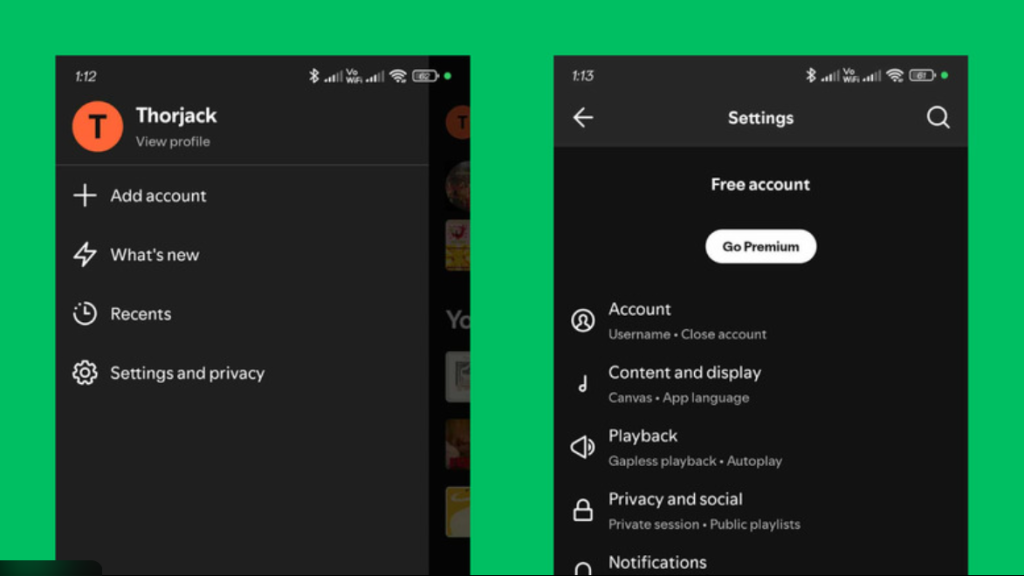
For Android: Open Spotify > Settings > Storage > Clear Cache. iOS needs a similar path under Apps. Desktops Go to Settings > Show Advanced Settings > Offline Storage, then delete.
Don’t worry, this won’t erase your library. Just log back in if needed. Test playback right after; pauses often vanish.
Conflicting Background Processes and Overlays
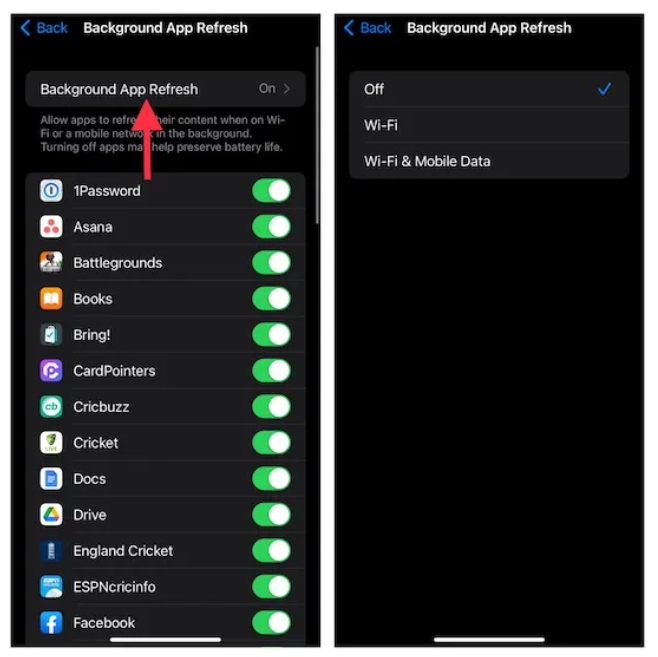
Other apps fight for your device’s power. Screen recorders or media players grab focus, pausing Spotify. Notifications pop up and interrupt too.
Gaming overlays from Discord or Steam add to the mess. They overlay and snag resources.
On Windows, open Task Manager with Ctrl+Shift+Esc. Spot high CPU apps and close them. Mac users use Activity Monitor.
Close extras before playing. If pauses stop, add Spotify to priority lists in settings. This keeps it running smoothly.
Device and Hardware Limitations: The Endpoint Bottleneck
Your phone or computer runs the show. When resources run low, the OS cuts corners. Spotify gets sidelined, leading to pauses.
Battery savers and connections play big roles here. Hardware limits hit multitasking hard. Check these to free up space.
Aggressive Battery Optimization Settings (Especially Android)
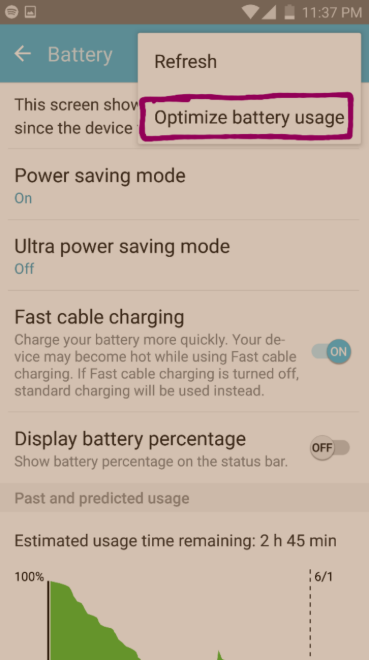
Android’s Doze mode puts apps to sleep to save juice. It pauses background play on Spotify. iOS does something similar with Low Power Mode.
This kicks in after idle time. Your tunes stop when the phone thinks it’s not in use.
To fix on Android: Settings > Battery > App Optimization. Find Spotify and set it to Don’t Optimize. iOS users go to Settings > Battery and turn off Low Power.
Whitelist Spotify for always-active. Test during a walk; no more pauses from power naps.
Bluetooth Headphone or Speaker Connection Dropouts
Bluetooth links audio devices wirelessly. But drops happen from interference or distance. Spotify sees a disconnect and pauses.
Walls or microwaves mess with signals. Cheap earbuds falter more.
Pair again: Forget the device in Bluetooth settings, then reconnect. Test with wired headphones. If the pauses are gone, Bluetooth was the issue.
Keep devices close and charged. Update Bluetooth drivers on computers for a better hold.
Low System Memory (RAM) Constraints
Low RAM forces your device to juggle tasks. Open too many tabs or apps, and Spotify gets dumped. Pauses follow as it reloads.
Gamers know this: Run a title plus music and audio cuts. Everyday use with browsers piles on.
Close background apps before streaming. On phones, swipe away extras. Computers use task managers to end hogs.
Upgrade RAM if possible, but tweaks help most. Aim for 4GB minimum; 8GB shines for smooth play.
Account and Subscription Level Issues: Authorization Breakdowns
Your Spotify account ties it all. Login glitches or plan limits trigger stops. These feel like app issues but stem from the backend.
Check status first. Fixes here resolve deeper pauses.
Spotify Free Tier Limitations and Ad Interruptions
Free users face ad breaks that halt music. Long plays sometimes force pauses for compliance. Premium skips this for steady flow.
Ads load slowly on weak nets, mimicking pauses. Shuffle mode adds skips that feel off.
Upgrade if ads bug you. Or use ad blockers carefully—they risk bans. Test the Premium trial for true seamlessness.
Logged-In Device Limit Conflicts
Spotify caps streams at five devices. Start on a sixth, and old ones pause. Family plans allow more, but solos hit limits fast.
Logins across phones, cars, and TVs add up quick.
Manage at spotify.com/account > Devices. Log out unknowns. This clears conflicts and stops forced halts.
Keep a list of your gadgets. Remove old ones yearly.
Payment or Subscription Status Verification Failures
Expired cards or billing snags downgrade you. Playback pauses until fixed. Emails alert, but misses happen.
Check in app: Settings > Account > Subscription. Update payment info.
Contact support if stuck. Most resolve in hours. Verify often to avoid surprises.
Conclusion: Restoring Uninterrupted Listening Flow
Pauses in Spotify often trace to network woes, app bugs, device limits, or account hiccups. Strong connections and fresh software fix most cases. Power settings trip up many too.
Start with these top steps:
- Clear your cache—quick and easy reset.
- Test your network speed and switch types if slow.
- Turn off battery optimization for Spotify.
Follow this checklist, and you’ll spot the cause fast. No more interrupted jams. Dive back into your tunes worry-free. If issues linger, reach Spotify support for a deeper look. Enjoy the music!