

 OFFERS
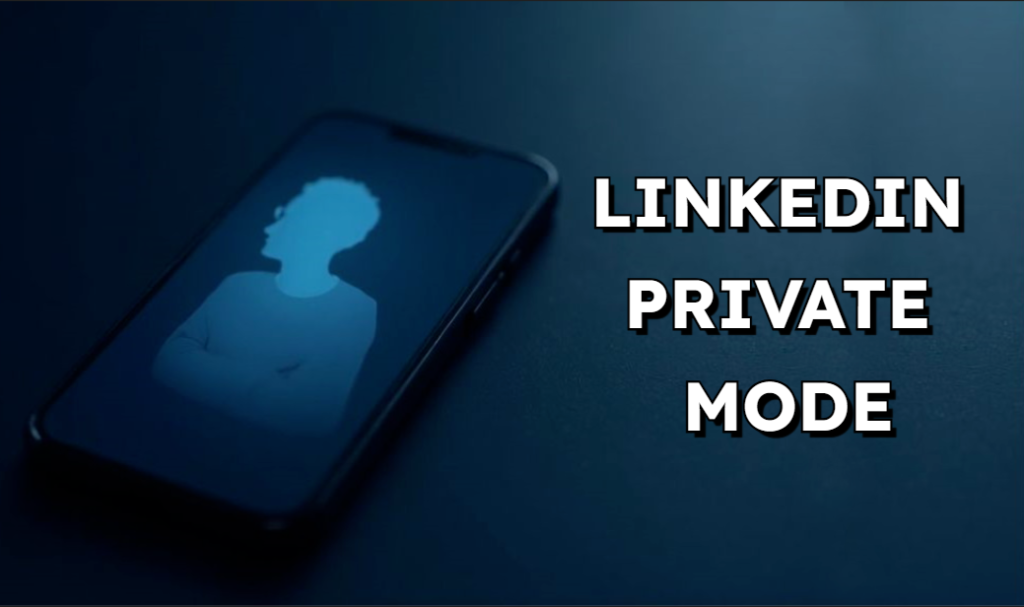
Imagine scouting a dream job at your current boss’s company. You click through profiles. Suddenly, they spot your interest. Panic sets in. That’s where LinkedIn Private Mode comes in. It lets you browse without leaving a trace. On a platform full of pros, controlling who sees your views keeps you safe. Privacy worries hit hard for job hunters and those eyeing rivals. This guide covers everything about LinkedIn Private Mode. You will learn how it works and when to use it smartly.
Understanding LinkedIn Profile Visibility Settings
LinkedIn tracks who views profiles. That data shapes connections. But not everyone wants to show up on radars. Private Mode flips that script. It hides your identity during browsing. Think of it as a cloak for your digital self.
What is LinkedIn Private Mode?
LinkedIn Private Mode turns you into a ghost viewer. When on, others see “LinkedIn Member” instead of your name. No headline or photo pops up. Toggle it off, and you go public. Your full details are shown to the viewed person. This shift happens right away. Users notice the change in their view logs. It’s simple but powerful for quiet research.
The mode covers profile peeks only. Posts or shares stay visible if public. Premium users get more perks, like seeing who viewed them. Free accounts still benefit from the basics. Over 700 million users juggle these settings daily. Privacy ranks high in surveys, with 81% of pros wanting more control.
The Three Visibility Options Explained
LinkedIn offers three ways to show up when viewing others. Pick based on your goals. Each trades info for anonymity.
- Private Mode: Full cover-up; others see only “Anonymous.” Great for spies, but with a loss of view insights on his own profile.
- Public Mode: Open book. Name, headline, and job title come up. Trust builds quickly, but it can also alert the watchers.
- Semi-Private Mode: Middle ground. Displays your name and brief details about your role, such as the industry. Gives some stealth while providing at least a smidgen of context.
Public shares the most data. It boosts networking but invites scrutiny private cuts all ties, ideal for sensitive checks. Semi-private teases are enough to spark chats without a full reveal. Weigh risks more openness means better reciprocity. Less means safer solitude.
How to Activate and Deactivate Private Mode
Switching modes takes seconds. No tech skills needed. Start on desktop or app.
- Log into LinkedIn. Click your profile pic in the top right.
- Select “Settings & Privacy” from the dropdown.
- Go to “Visibility” on the left sidebar.
- Find “Profile viewing options.” Click it.
- Choose your mode: Private, Semi-Private, or Public.
- Save changes. It applies instantly.
On mobile, tap your avatar. Slide to settings. Follow the same path under Privacy. Test it by viewing a connection’s page. See how you appear in their logs? Deactivate the same way. Flip back for active networking. Common snag: Premium upgrades unlock viewer lists even in private. Free users get blurred names only.
Strategic Applications of LinkedIn Private Mode
Private Mode shines in key spots. Use it to stay under the radar. Pros turn to it for smart plays.
Discreet Job Searching and Competitor Research
Job hunts demand caution. Check a firm’s team without tips. Private Mode lets you scan bios freely. No alerts to HR or bosses. Picture this: You eye a rival’s hires. Toggle on, dive deep. They never know.
Competitors lurk too. Scout their strategies quietly. In 2024, 65% of execs used LinkedIn for intel. Anonymity prevents copycat accusations. A marketer might review ad pros at another agency. Stay hidden to gather edges. Switch off post-research to reconnect usually.
Managing Connections and Sales Outreach
Sales pros need finesse. Peek at leads before pinging them. Private Mode avoids spooking prospects. They won’t see your sales title right away. Build rapport later with full context.
For partnerships, test the waters. View a potential collaborator’s network. Decide if they fit without early signals. Risk? Some see anonymity as shady. Balance with quick follow-ups. Sales Navigator amps this. Premium tools track views privately too. In outreach, 40% of deals start with profile checks. Use mode wisely to warm leads.
Controlling Third-Party Application Visibility
Apps link to LinkedIn often. Think resume builders or CRM tools. Private Mode limits what they pull during your sessions. But connected apps grab base data regardless.
Watch integrations like Indeed or ZoomInfo. They infer activity from patterns. Even in private, your public profile feeds them. Revoke access in settings if worried. For safety, pair with data export reviews. LinkedIn shares 2025 stats: 200 million active app connections. Trim yours to cut leaks.
The Trade-Offs: What You Lose When Going Private
Anonymity costs something. Weigh gains against gaps. Private Mode blocks two-way streets.
Impact on Profile Views and Analytics
Go private, and your viewer list blanks out. It shows “Anonymous” for yourself. No names or titles to track. Genuine fans stay hidden. Premium folks see more, but basics fade.
This hurts lead gen. You miss who scouts you. Stats say 50% of job offers stem from views. Without data, follow-ups stall. Flip modes often to balance. Analytics drop in private—use public for growth phases.
Signal Degradation in Networking Reciprocity
Networking thrives on give-and-take. View privately, and they can’t peek back fully. No context for your interest. It feels one-sided.
Best practices push openness. Share views to spark talks. But stealth suits introverts or rivals. Analogy: Like whispering at a party. Effective short-term, awkward long-term. Reciprocity builds trust—privacy slows that. Use sparingly to keep bonds strong.
SEO and Search Ranking Implications
LinkedIn profiles rank in Google searches. Private Mode doesn’t tank that directly. But constant flips confuse algorithms. Public stays are indexed better.
Personalized feeds suffer too. LinkedIn suggests based on views. Hide often, and recs weaken. Minimal hit for most—focus on public for visibility. Long-tail searches like “LinkedIn private mode job hunt” still find guides like this. Keep the core profile public for SEO wins.
Best Practices for Utilizing Private Mode Effectively
Master Private Mode with rules. Know when to cloak or reveal. Clever use maximizes pros.
When to Turn Private Mode ON (Checklist)
Use this list for quick privacy needs:
- Viewing your boss’s connections during a job switch.
- Scouting competitors’ hires before a pitch.
- Checking ex-colleagues to avoid awkward run-ins.
- Researching industry leaders without fan alerts.
- Dodging spam from unwanted outreach.
These spots demand zero traces. Toggle on, do your work, and switch off.
When to Turn Private Mode OFF (Checklist)
Transparency wins here:
- Building new connections at events.
- Attracting recruiters with your whole story.
- Updating posts to draw inbound interest.
- Networking in safe groups or alum circles.
- Maximizing Sales Navigator for direct outreach.
Open mode fuels growth. Use it for active phases.
Integrating Private Mode with Other Privacy Controls
Layer settings for full shield. Hide “Last Active” in visibility tabs. Block connection views too.
Turn off “Share profile edits” to quiet updates. Adjust ad preferences to cut tracking. For apps, audit permissions monthly. Combo keeps data tight. Example: Private Mode plus hidden connections stops poachers—test setups by simulating views. Adjust as needed.
Conclusion: Balancing Transparency and Professional Anonymity
LinkedIn Private Mode gives you reins on visibility. Use it on purpose, not all the time. It guards your moves in risky spots. Yet, openness builds real ties. Master the balance for better networking.
Key takeaways:
- Toggle Private Mode for discreet checks like job hunts or rival scans.
- Weigh losses: No view data and weaker reciprocity when hidden.
- Pair with other controls for total privacy, but go public to grow connections.
Ready to tweak your settings? Dive in now. Control your LinkedIn story today.