
 OFFERS
Many Facebook users ask whether it is possible to see exactly who viewed their videos. Wherever you share personal clips, business promos, or even creator content, knowing how video views work on Facebook enables one to manage privacy while accurately measuring engagement. The short answer is that Facebook does not show the names of people who viewed standard videos, but there are really important exceptions and details worth knowing.
On Facebook, video analytics are generally more about the whole performance than about viewing identities. This, therefore, protects users’ privacy and makes it easier for creators to get offering engagement information.
Can You See Who Viewed Your Facebook Video
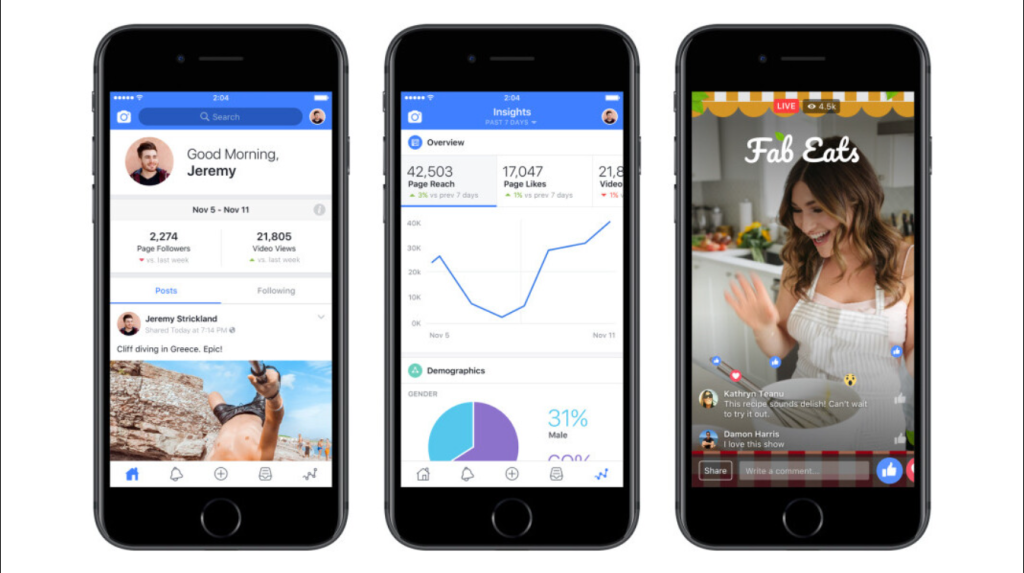
Steps:
- Open Facebook (app or browser)
- Go to your profile
- Find the video you posted
- Look below the video for the view count
Facebook does not allow people to see who viewed their videos posted on their profiles, pages, and groups. Only the total number of viewers is visible, as well as engagement metrics: likes, comments, and shares. There is no way for someone who knows your video exists and watched it repeatedly to have that person’s name show up under the viewer list.
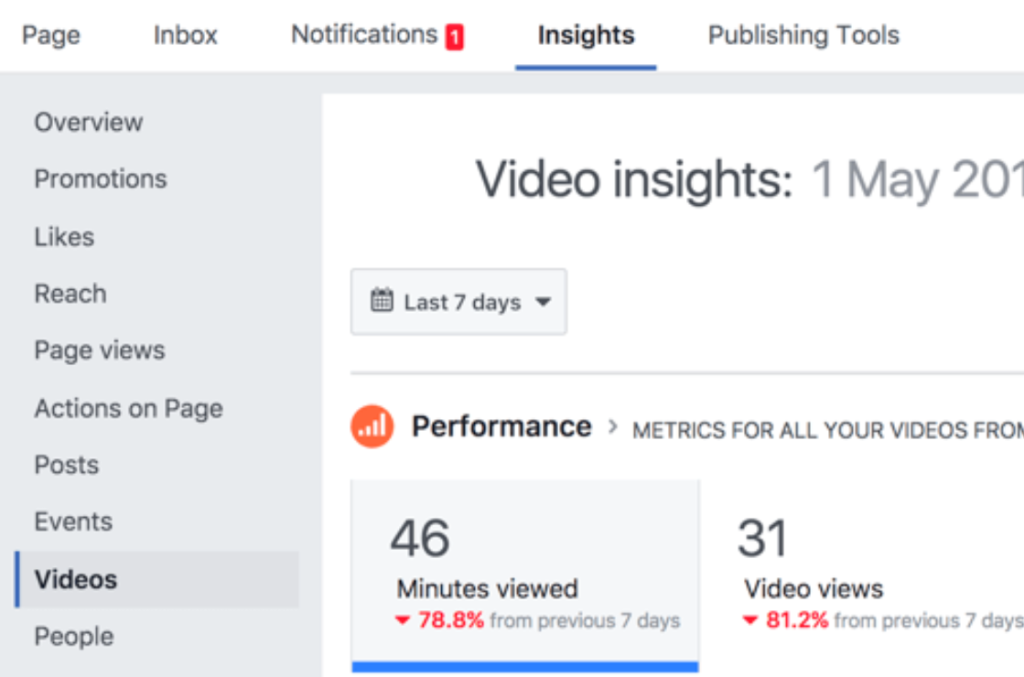
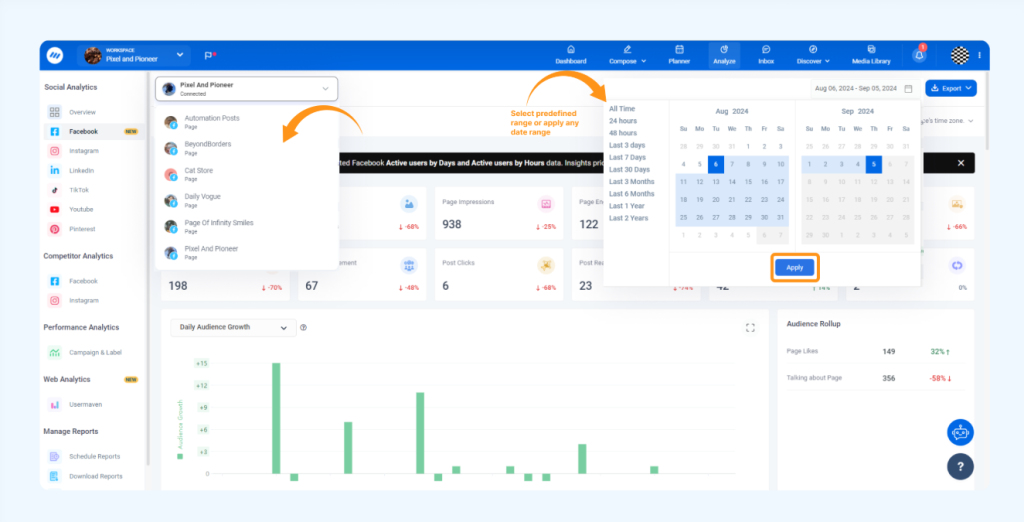
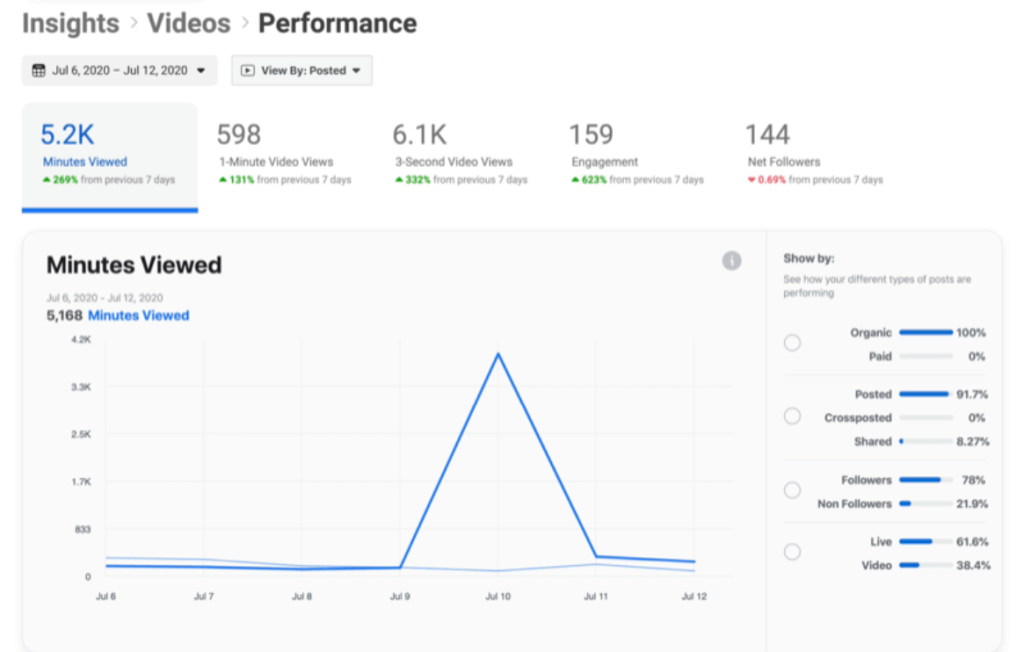
Steps:
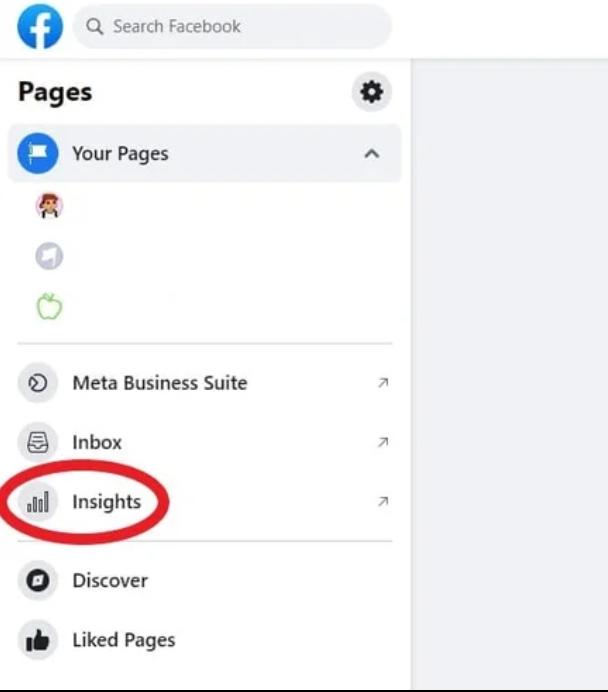
- Go to your Facebook Page
- Click Professional Dashboard
- Open Content → Videos
- Select a video to view insights
You’ll See:
- 3-second views
- 1-minute views
- Average watch time
- Audience age & location
The same restriction applies here to attending either personal profiles or public pages. Facebook’s privacy rules were intended to stop creators from tracking each individual’s viewing behavior on standard videos.
What Facebook Counts as a Video View
A view for a video is counted when someone watches it for at least three seconds. It is possible to increase the view count even if a person just scrolled a little too fast. Therefore, it should also signify that views do not always reflect deep engagement.
For that specification, it is crucial to consider not only views but also watch time, reactions, and comments that evaluate how people engage with that content.
When You Can See Viewers on Facebook
There are instances when Facebook actually states who views your content. For example, there are Facebook stories. When you post a story, you can see the names of the people who viewed your story in the insights of that story. This is similar to how Instagram works.
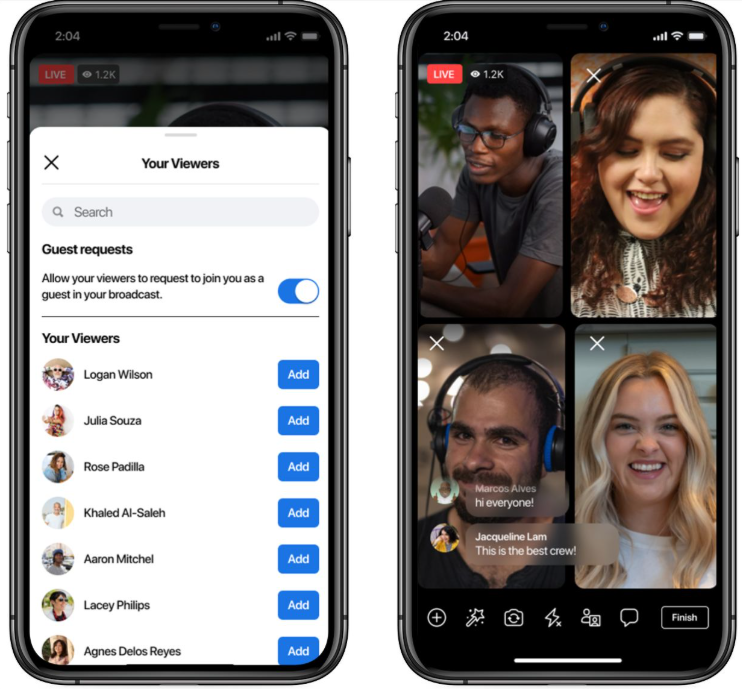
Facebook Live videos also give limited information about the viewers. While the live stream is ongoing, you can see who is watching it. Then, after the live event ends, Facebook still doesn’t let you see the whole list of all people who watched that live recording back but gives you engagement details.
Why Facebook Does Not Show Video Viewers
Unaffected were users or people generalized not knowing the privacy of Facebook. There would be reluctance among people to watch something because creators can be aware or not know exactly who viewed a video. By not showing the identities of individual users viewing content, Facebook has encouraged people to watch things freely.
Most, if not all, video formats are governed by similar principles, ensuring a healthy balance between analytics and privacy.
Third-Party Apps Claiming to Show Video Viewers
Numerous apps and sites promise to reveal who viewed your Facebook videos. These assertions are all false. There is no API or feature in Facebook that gives an outsider a chance to look up individual viewer data for the videos.
Using such apps could prove detrimental. They normally require login permission, which exposes accounts to problems of compromise or data misuse. Facebook itself highly discourages any tool promising revealing video viewers.
How to Measure Video Engagement Effectively
It may not show you precisely who viewed your video, but Facebook does give you many valuable metrics for evaluating performance. For instance, you can check total views, average watch time, audience retention reactions, comments, and shares. Such metrics are helpful in understanding what type of content resonates with audiences.
Facebook Insights also provides detailed analytics for pages and professional accounts to support content strategy improvement.
Differences Between Videos, Stories, and Reels
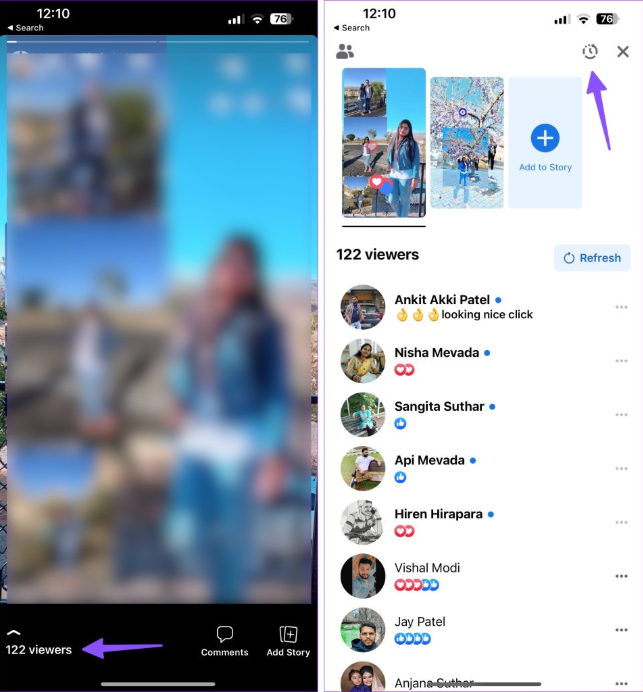
Steps:
- Open Facebook
- Tap Your Story
- Swipe up on the story
- You’ll see a list of people who viewed it
Note: Stories expire after 24 hours.
Normal Facebook videos do not show names of viewers. Facebook Stories allows you to see a list of viewers. Like normal videos, Facebook Reels hide who watched them and only show how many views and engagements they received.
One can really understand how the different formats will help in choosing the best content format one wants for viewers’ visibility, confidentiality, or wider reach.
Common Myths About Facebook Video Views
The typical myth is that profile owners can see who watched their videos if the video is private or shared with friends only. This is not so. Privacy settings control who can watch the video, not whether you can see viewers.
Another myth is that repeated viewers would be visible in the analytics. Facebook does not record repeated viewers’ names but does record metrics in an aggregated form.
How to Protect Your Privacy While Watching Videos
If you fear that others will see what you viewed, it is comforting to know that normal videos on Facebook are confidential. You will not appear as a viewer to the creator. However, regarding activities such as likes, comments, or shares, visibility depends on privacy settings.
Watching stories is different. Authors of stories know viewer names. Knowing this helps regulate how visible your activity is on Facebook.
Final Thoughts
You will never know exactly who viewed your video on Facebook unless it is a story or a live video during the time of broadcasting. This is also true for all standard videos, as that is the primary way for Facebook to protect the privacy of its users: view counts and engagement metrics. Avoid any app or site claiming otherwise.
Learning how the video views of Facebook work helps creators develop realistic expectations and direct their efforts at significant engagement rather than just gathering viewers. There would then be good use of insight selection to make an impact while still respecting personal privacy on the platform.

